
TL;DR:
- Managing fan chats without a system leads to decreased engagement and lost revenue due to missed messages and slow responses. Building a structured workflow with appropriate tools, segmentation, and continuous monitoring enhances resolution rates and fan loyalty, especially when combining automation with human support. Prioritizing first contact resolution and preserving conversation context across multi-day exchanges are key to scaling a successful chat operation.
Managing fan chats without a system in place is one of the fastest ways to lose engagement and leave money on the table. Chat management how to execute it properly is not common knowledge, even for creators who are already making strong content. Missed messages, slow responses, and generic replies chip away at fan loyalty over time. This guide walks you through the tools, workflows, and best practices you need to build a chat operation that converts conversations into revenue, without burning yourself or your team out.
| Point | Details |
|---|---|
| Tools determine your ceiling | Choose chat platforms with auto-save, assignment rules, and moderation filters before optimizing anything else. |
| Workflows beat willpower | A documented step-by-step process prevents message backlog and keeps every fan interaction consistent. |
| FCR matters more than speed | Resolving issues in one contact drives down costs and builds fan loyalty faster than fast responses alone. |
| AI and humans both have roles | Automation handles volume; human agents handle relationships. Routing between them correctly is the real skill. |
| Metrics guide improvement | Track ASA, FCR, and CSAT consistently so you know what to fix instead of guessing. |
Getting your tools in order is not optional. You cannot build a reliable workflow on top of a poorly configured platform. Before you write a single response template, you need to know what your system can actually do.
Different platforms serve different purposes, and the right pick depends on your volume and team size. Here is a quick comparison of common options creators and businesses use:
| Platform | Best for | Key features | Automation support |
|---|---|---|---|
| Sobot Live Chat | High-volume creator support | Assignment rules, filters, webhooks | Yes, with workflow routing |
| HubSpot Service Hub | CRM-integrated chat | Tiered routing, rule-based bots | Yes, credits per resolution |
| Zoom Team Chat | Internal team coordination | Folders, mention tabs, AI summaries | Partial, AI task extraction |
| Custom chat stack | Advanced creator operations | Full API control, durable workflows | Yes, with engineering support |
Sobot’s 2026 chat configuration covers seven core functions: customer info management, assignment rules, sensitive word filters, satisfaction surveys, chat closure handling, end-of-session options, and message webhooks. These are not independent features. They work as an interdependent workflow, and skipping one weakens the others.
The non-negotiables before you go live:
HubSpot’s routing system lets you deploy automated agents based on customer tier and issue type, which is exactly the kind of selective deployment that prevents misrouting and keeps your highest-value fans in human hands.
Pro Tip: Set up your notification filters before your first live session. Tools like Zoom Chat let you customize mention-based alerts so agents only see what needs their attention, not every message in every channel.
Once your tools are configured, the next step is building the process your team will follow on every shift. A documented workflow is what separates a professional chat operation from a reactive one.
Follow these steps to build yours from the ground up:
Define your fan segments. Categorize fans by subscription tier, purchase history, and engagement level. High-value fans get priority routing to your most experienced agents. New subscribers get onboarding-style responses. This alone reduces misdirected conversations significantly.
Set routing rules for each segment. Use your platform’s assignment settings to automate routing. In HubSpot, for example, rule-based chatbots can filter by issue type before handing off to a human agent. In Sobot, you set assignment conditions directly inside Live Chat > Settings > Chat.
Configure real-time monitoring. Assign a team lead or senior agent to watch the queue at all times during peak hours. Real-time visibility lets you spot backlog early and redistribute chats before response times degrade.
Write your message submission protocols. How does your team submit responses for review before sending sensitive replies? Define approval steps for anything involving refunds, complaints, or custom content requests. This prevents costly mistakes.
Activate sensitive word filters. Load your filter list before launch. Review and update it weekly based on what your agents actually encounter.
Set timeout and closure rules. Define how long an unanswered chat stays open. Set automatic closure messages that feel personal, not robotic. Include a satisfaction survey trigger on every closed conversation.
Connect your webhooks. Push session data, offline messages, and resolution events to your CRM or analytics tool. This creates a data trail you can actually learn from.
Pro Tip: Treat your webhook data as a coaching resource. When session data flows into a spreadsheet or CRM automatically, you can spot patterns in agent performance without manually reviewing every transcript.
Here is how a well-structured workflow compares to a disorganized one:
| Workflow element | Disorganized approach | Structured approach |
|---|---|---|
| Fan routing | Random or manual | Rule-based and automatic |
| Message review | No protocol | Defined approval steps |
| Chat closure | Inconsistent | Timed, with satisfaction survey |
| Data capture | Minimal | Full session logging via webhooks |
| Agent coaching | Reactive | Weekly review of session data |
With the system running, the work shifts to continuous improvement. Chat management tips that actually move the needle are specific, not general.
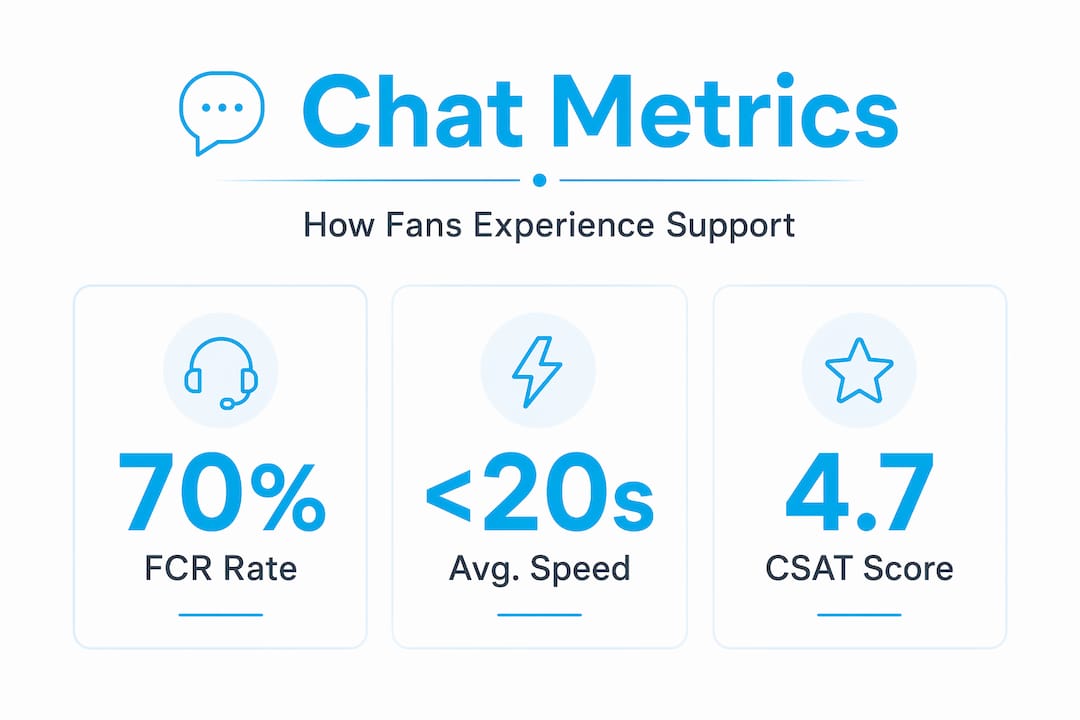
Speed gets most of the attention, but it is not the most important metric. FCR drives more impact than any other single factor. When a fan’s question or request gets fully resolved in one conversation, they do not need to come back. That reduces your total contact volume, lowers cost per conversation, and builds the kind of trust that keeps fans subscribed long term. Strong FCR rates around 70% indicate a support operation that scales well without adding headcount.

That said, speed still matters for first impressions. Average Speed of Answer should be measured from the moment a fan enters the queue, not from when an agent picks up. Aim for 80% of chats answered within 20 seconds. Anything slower and fans start to disengage before the conversation even begins.
On the AI and human balance: automation is not a replacement for relationship. Use AI to handle volume, repetitive questions, and routing decisions. Use your human agents for conversations that require empathy, personalization, or upselling. The chatting strategies that increase sales always involve a human voice at the right moment.
Here are the practices that separate good chat operations from great ones:
AI-powered task extraction and notification design help agents stay focused on priority messages without being overwhelmed by volume. This is as important as the messaging itself.
Even well-intentioned chat operations run into the same problems. Knowing what to watch for saves you from having to learn these lessons the hard way.
The most common mistakes in managing customer chat queries include:
That last point deserves more attention. Durable state management with checkpoints is the architecture solution for long-running conversations. Rather than relying on chat history alone, durable systems use persistent session storage to resume exactly where a conversation left off, even after days of inactivity. For creator businesses running multi-day custom content exchanges, this is not optional.
Chat systems that lose context mid-conversation do not just create friction. They signal to fans that they are not remembered, which is the opposite of what drives loyalty and repeat purchases.
Routing mistakes are also common. Sending a high-value fan to a new agent, or sending a complex request to a bot, creates unnecessary friction. Review your routing rules monthly and adjust based on actual resolution data, not assumptions.
Numbers tell the real story. Once your workflow is live, these are the metrics worth tracking consistently:
| Metric | What it measures | Target benchmark |
|---|---|---|
| Average Speed of Answer (ASA) | Time from queue entry to agent response | 80% answered within 20 seconds |
| First Contact Resolution (FCR) | Issues resolved in one conversation | 70% or higher |
| Customer Satisfaction (CSAT) | Fan satisfaction rating post-chat | Above 85% |
| Cost per contact | Total chat support cost divided by volume | Decreasing month over month |
Measuring ASA from queue entry rather than from first agent response gives you a more accurate picture of the fan experience. Excluding chats that queued during off-hours from your wait time calculations also prevents distorted averages that make your team look slower or faster than they actually are.
Use CSAT trends to guide coaching conversations. If scores drop after a specific agent’s shift or after a workflow change, you now have a specific question to investigate. That is how feedback loops actually drive improvement. Professional chatters who grow revenue do so because they are operating inside a system that tracks and refines performance continuously.
I have seen a lot of creators and businesses set up chat systems that look right on paper but underperform in practice. The most consistent pattern: they prioritize response speed metrics before they have resolved the FCR problem. It feels productive because the numbers move quickly. But you end up with a team that responds fast and resolves slowly, which means more contacts, more cost, and more frustrated fans.
What changed things for the teams I have worked with was treating FCR as the primary metric and everything else as secondary. When resolution quality goes up, speed tends to follow naturally because agents are no longer re-handling the same conversations.
The second thing that made a real difference was moving away from stateless chat setups for multi-day fan interactions. Once we introduced durable workflows with checkpoint-based resumption, the continuity improvement was immediate. Fans noticed. They felt remembered, and that feeling translates directly into retention and spend.
On AI: blend it carefully. Routing automation is powerful, but dropping a fan into a bot loop at the wrong moment kills the relationship. The best setups I have seen use automation to optimize creator workflows for volume and routing, then hand off to trained human agents for anything that requires personal connection.
Finally, agent workload is not just a performance issue. It is a retention issue. Burning out your chat team means constant retraining and inconsistent fan experiences. Protect your agents’ concurrency limits like they are a business metric, because they are.
— Gjon
If you have read this far and realized your current chat setup has gaps, you are not alone. Most creators reach a point where managing chats professionally requires more than good intentions and a few templates.

Only-dreams provides 24/7 professional chat management for established content creators. Our trained chat teams build genuine fan relationships, handle your message volume with consistent quality, and work inside proven workflows designed to maximize your subscription and messaging revenue. You get a dedicated team that knows your voice, your fans, and your goals — so you can spend your time creating instead of managing queues. If you are ready to scale your fan engagement professionally, Only-dreams is the partner built for exactly that.
First Contact Resolution (FCR) is the most impactful metric. FCR rates around 70% reduce contact volume, lower cost per conversation, and improve fan satisfaction more than speed metrics alone.
Start by segmenting fans by subscription tier and issue type, then configure your platform’s assignment rules to route automatically. Tools like HubSpot and Sobot both support rule-based routing that sends conversations to the right agent or bot without manual intervention.
Backlog typically comes from under-staffing during peak hours, overloaded agents handling too many simultaneous chats, or poor routing that sends conversations to unavailable agents. Real-time queue monitoring and clear concurrency limits prevent most backlog situations.
Use a chat platform that supports durable session storage rather than relying on chat history alone. Checkpoint-based workflow systems allow agents and AI to resume conversations precisely where they left off, even after extended idle periods.
Use AI for volume handling, initial routing, and repetitive queries. Switch to human agents for relationship-building conversations, custom content discussions, and any interaction where empathy or personalization matters to the outcome.