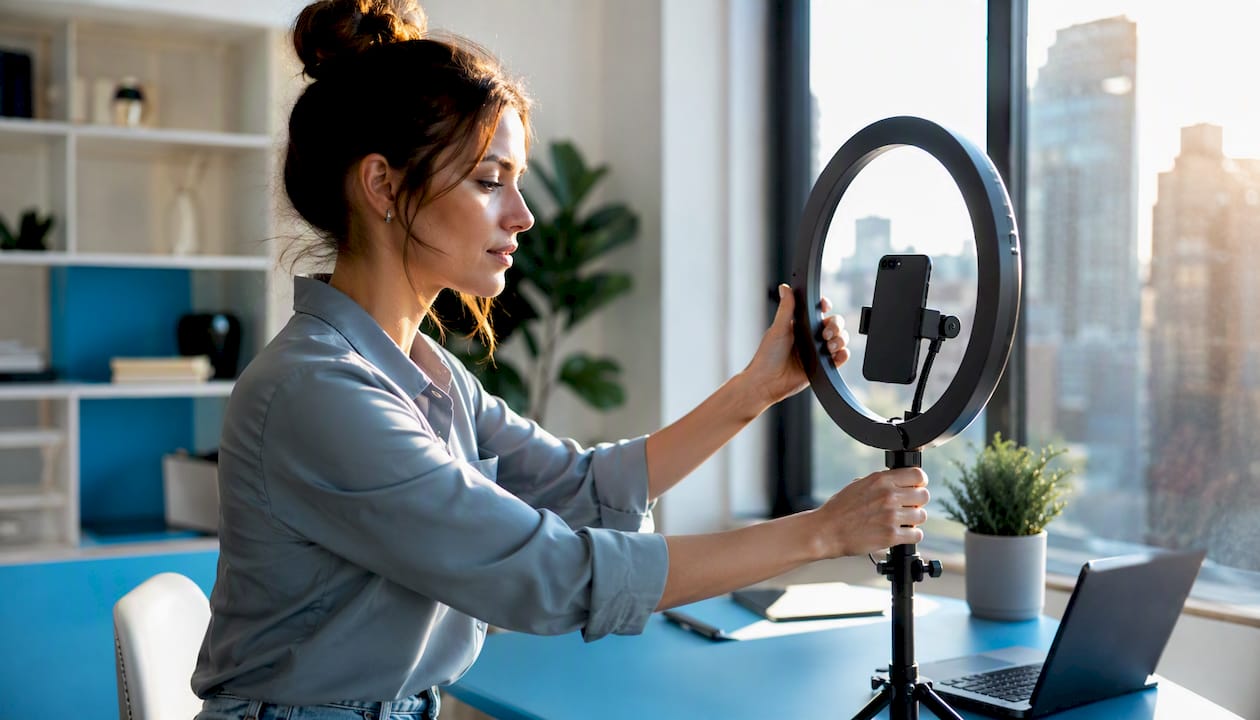
Yes, if you meet TikTok’s eligibility requirements, you can go LIVE right now, and it’s one of the most direct ways to build real community and earn on the platform. Unlike feed videos that surface on a delay, a LIVE puts you in front of viewers in real time, with tools to collect gifts, sell products, and convert casual followers into paying subscribers.
Here’s what you’ll get from this guide:
The roadmap covers eligibility, step-by-step setup for mobile, gaming mode, and desktop via TikTok LIVE Studio, equipment, engagement tactics, every monetization route, and how to repurpose a single stream into weeks of content.
TikTok LIVE is one of the most direct monetization and community-building tools available to creators, and the gap between a one-off stream and a repeatable revenue channel comes down to preparation, consistency, and operational discipline.
| Point | Details |
|---|---|
| Check eligibility first | You need 1,000 followers, age 18+ for monetization, and a clean account standing before going live. |
| Plan your opening minute | A scripted first 60 seconds drives chat activity and prevents TikTok from deprioritizing your stream. |
| Match gear to your stage | A smartphone and ring light are enough to start; upgrade audio before video for the biggest quality jump. |
| Test three monetization formats | Run one Q&A, one shopping event, and one co-host stream, then compare gift totals and concurrent viewers. |
| Repurpose every stream | Export, clip, and post your top moments within 24 hours to extend the reach of each LIVE. |
| Only-dreams manages operations | Only-dreams handles chat, analytics, and repurposing so creators can focus on content and grow LIVE revenue. |
TikTok LIVE is the platform’s real-time streaming feature, letting creators broadcast directly to followers and discovered viewers inside the TikTok app. It’s not just a broadcast tool. According to Buffer, going live helps creators connect in real time, build community, and generate content that can be repurposed into multiple short videos. The platform also surfaces LIVE streams in dedicated areas of the app, separate from the standard For You feed, giving you an additional discovery channel.
Creators use LIVE for:
TikTok evaluates LIVE streams quickly. Reports indicate the platform assesses early signals like chat activity, visible motion, and host engagement within the first minutes, then adjusts distribution accordingly. A stream that opens with energy and immediate interaction gets pushed further. One that opens silently gets fewer viewers.
Riverside’s documentation confirms the standard eligibility thresholds: 1,000 followers and meeting the platform’s minimum age requirement. In the US, the age split matters:
Your account also needs to comply with TikTok’s Community Guidelines at the time you attempt to go live. A single active violation can block access even if you meet the follower and age thresholds. Check your account status in Settings > Account > Privacy before your first stream.
For creators below 1,000 followers, TikTok has occasionally granted early access through a support request, though this is not guaranteed. The TikTok Help Center and LIVE Creator Hub publish the most current regional eligibility rules, so verify there before assuming the thresholds above haven’t changed.
Pro Tip: Before going live, open the TikTok app, tap the “+” button, and swipe to the LIVE option. If it appears, you’re eligible. If it doesn’t, your account likely hasn’t hit the follower threshold or has a guideline issue to resolve first.
For your opening 60 seconds, Forbes advises treating TikTok LIVE like a broadcast: use a short script or structured outline to maintain momentum and avoid early viewer drop-off. A simple opening script: state your name, the topic, and one thing viewers will get by staying. Then immediately ask a question to trigger chat activity.
Conbersa’s guide to TikTok LIVE Studio confirms it’s the most feature-complete native desktop solution, supporting multi-camera setups, scene control, overlays, and product pin management. It’s primarily Windows-based, with a Mac version in beta.
Setup checklist for LIVE Studio: camera connected and tested, microphone levels set (aim for peaks around -12 dB), scenes labeled, stream title entered, product pins loaded if applicable, and a test stream run privately before going public.
TikFinity documents that streaming via OBS, Streamlabs, or other RTMP tools is possible, but warns that native TikTok features like achievements, product pin tracking, and specific in-app milestones may not be tracked or available through third-party tools. RTMP key access also varies by account. Use OBS when production complexity demands it; use LIVE Studio when you need full TikTok feature parity.
Pro Tip: TikTok’s algorithm evaluates your stream aggressively in the first minute. Open with your face visible, say something immediately, and ask a direct question to get chat moving. A silent or static opening is the fastest way to get deprioritized.
You don’t need a studio. You need a few things done well.
Poor audio kills a LIVE faster than poor video. Viewers tolerate a slightly soft image; they leave when they can’t hear you clearly.
Test your upload speed at Fast or Speedtest before every stream. For a stable 1080p stream, target at least 10 Mbps upload. If you’re on Wi-Fi, move closer to the router or switch to a wired connection. A dropped stream mid-session loses viewers who rarely come back.
Natural window light works well if the sun is consistent. Avoid backlighting from windows behind you.
Keep your background clean and intentional. A plain wall, a simple shelf, or a branded backdrop all work. Clutter distracts.
Assign a moderator before you go live. This can be a trusted friend or team member with access to your account’s moderation tools. Their job: remove spam, block bad actors, and surface good questions for you to answer on camera. Chat management strategies that work for subscription platforms translate directly here: a well-moderated chat feels safer and more welcoming, which keeps viewers longer.
For small audiences (under 50 concurrent viewers), you can self-moderate. Above that, a dedicated moderator is worth it.
Pro Tip: Write a two-sentence moderator brief before each stream: what topics are on-topic, what gets removed immediately, and one or two questions to surface early. Consistent moderation builds a community reputation that brings viewers back.
TikTok Shop for Creators is the platform’s integrated commerce layer. When you qualify, you can pin products directly in your LIVE, and viewers can tap, add to cart, and check out without leaving TikTok. The TikTok Shop Creator Hub publishes current qualification requirements and regional availability.
To access TikTok Shop features as a creator, you generally need to meet follower thresholds, be 18+, and have an account in good standing. Apply through the TikTok Shop Seller Center or Creator Marketplace, connect your payment details, and link the products you plan to feature.
A format that converts well:
Repeat this cycle for each product. Keep each product segment to 8–12 minutes.
One constraint to know: TikTok Shop’s checkout flow and inventory pin features have regional limits. Confirm your products are available for US checkout before going live with them.
Viewers buy TikTok Coins with real money, then send virtual Gifts during your LIVE. Those Gifts convert to Diamonds on your end, which you redeem for cash through TikTok’s creator payout system. The conversion rate and platform fee are set by TikTok and can change, so check the current rates in your Creator Dashboard before projecting earnings.
TikTok’s subscription feature lets viewers pay a monthly fee for exclusive perks: subscriber-only badges, exclusive content, and priority in chat. Consistent LIVE schedules drive subscription retention because subscribers expect regular access. Tactics that increase subscription retention on other platforms apply here: deliver something exclusive in every LIVE that non-subscribers can see but not fully access.
Brands pay creators to feature products during LIVE sessions, either as a dedicated segment or an integrated mention. Your negotiating leverage comes from your average concurrent viewer count and your audience’s engagement rate, not just your follower number. A creator with 2,000 average concurrent viewers and a 15% chat rate is more valuable to most brands than one with 50,000 followers and 200 viewers per stream.
TikTok Shop commissions vary by product category and affiliate arrangement. The platform takes a percentage; you keep the rest. High-conversion shopping lives depend on product-audience fit more than production quality.
The factors that move the needle most:
For creators just starting out, run a four-stream experiment: one Q&A, one tutorial, one co-host, and one shopping event. Track concurrent viewers and gift totals for each. That data tells you which format your specific audience responds to before you commit to a schedule.
Distribution doesn’t happen automatically. You build your live audience before you go live.
For timing, check your TikTok Analytics under Followers > Follower Activity to see when your audience is most active. Schedule your LIVE to start 15 minutes before that peak window, so you’re already warmed up when traffic is highest. These TikTok promotion tactics apply directly to driving viewers to your stream.
Feed video script: “I’m going live [day] at [time] and we’re doing [topic]. Drop your questions below and I’ll answer them on stream.”
Story script: “30 minutes until I go live. Topic is [topic]. Tap the link in my bio to set a reminder.”
Both are short, specific, and give viewers a reason to show up.
The stream itself is only half the work. What you do in the next 24 hours determines how much value you extract from it.
Tracking the right engagement metrics after each stream tells you exactly what to repeat and what to cut.
| KPI | What it tells you |
|---|---|
| Peak concurrent viewers | Your maximum reach during the stream; benchmark for growth |
| Average watch time | How long viewers stayed; low average = weak content or pacing |
| Total gift events | Emotional engagement peaks; correlates with high-energy moments |
| Comment rate | Chat activity per minute; low rate = audience is passive |
| New followers gained | Conversion from viewer to follower; measures discoverability |
Riverside supports multistreaming and advanced recording, including auto-clipping tools that identify highlight moments automatically. For creators who stream regularly, a repurposing workflow looks like this: export full recording, run it through an auto-clipping tool, review the suggested clips, add captions, and schedule them across platforms. A single 60-minute LIVE can generate five to eight short clips, one long-form YouTube cut, and two to three Stories.
The official desktop app gives you the most complete TikTok feature set: multi-camera inputs, scene switching, overlays, product pin management, and native analytics. Conbersa confirms it’s the strongest native desktop option. The trade-off is that it’s Windows-first (Mac support is in beta), and it’s less flexible than OBS for complex productions.
OBS and Streamlabs give you more production control: custom scenes, plugins, advanced audio routing. But TikFinity warns that RTMP access isn’t guaranteed for all accounts, and native TikTok features like achievements and product pin tracking may not function through third-party tools. Use OBS when you need production complexity and are willing to lose some native features.
Riverside records in high quality (up to 4K local recording) and offers auto-clipping for repurposing. It’s the stronger choice when your primary goal is content extraction from a LIVE. Restream lets you broadcast simultaneously to TikTok, YouTube, and other platforms from one dashboard, useful for creators with established audiences on multiple channels.
| Tool | Ease of setup | TikTok feature parity | Recording/repurposing |
|---|---|---|---|
| TikTok LIVE Studio | High | Full native | Basic |
| OBS/Streamlabs (RTMP) | Medium | Partial | Strong |
| Restream | Medium | Partial | Good |
Running a LIVE well requires attention split across content, chat, products, and analytics simultaneously. Most creators can manage this solo at small scale. At higher volume, the operational load becomes the bottleneck.
Only-dreams provides the operational layer that fills that gap. Core services relevant to LIVE include:
During a high-traffic shopping LIVE, having a team managing chat and product pins while you focus on the camera is the difference between a smooth event and a chaotic one. The operational gap is real, and it compounds as your audience grows.
Before outsourcing LIVE management, ask any agency:
The difference between a creator who builds a consistent LIVE audience and one who tries it twice and gives up usually comes down to a few specific behaviors.
Do:
Don’t:
A planned opening versus an ad-hoc one looks like this: a creator who opens with “Hey, welcome! Today we’re doing a full skincare routine breakdown, and I want to know your biggest skincare question, drop it in the chat right now” gets 20 chat messages in 60 seconds. A creator who opens with “Okay, I think we’re live, let me check the settings…” gets two.
Running TikTok LIVE at scale means managing content, moderation, analytics, and repurposing at the same time. Most creators hit a ceiling not because their content is weak, but because the operational side takes over.
Only-dreams is a US-based creator management agency built for established creators who want to grow their LIVE revenue without adding operational hours to their day. The team handles 24/7 chat management, account operations, post-stream analytics, and content repurposing, so your focus stays on the camera. Creators working with Only-dreams get a dedicated account manager, a trained chat team that builds real audience relationships, and a data-driven promotion strategy across TikTok, Instagram, and other platforms.
If you’re earning consistently and want to scale your LIVE performance without burning out on the back-end work, talk to the Only-dreams team about what a managed approach looks like for your account.
These are the most reliable resources for verifying platform rules and setting up your tools correctly: