TL;DR:
- Social media automation uses software to handle routine tasks like scheduling and analytics, saving time for content creation. It supports authentic interaction but cannot replace genuine community engagement, emphasizing the need for human oversight. Proper implementation involves starting small, using approval workflows, and regularly reviewing performance to maintain voice and avoid risks.
Social media automation is the use of software to handle repetitive social media tasks, including scheduling posts, responding to FAQs, and generating analytics reports, without constant manual effort. For social media managers and content creators, this means fewer hours spent on mechanical work and more time for content creation and genuine fan engagement. Tools like Hootsuite, Buffer, and Sprinklr sit at the core of most automation setups, while AI-powered platforms like Apaya push the capability further. Automation supports authentic human interaction. It does not replace it.
Social media automation is the practice of using software to execute social media tasks based on rules, schedules, or triggers rather than manual input. The industry term for the broader discipline is social media management automation, though most practitioners simply call it social media automation. Understanding the distinction between basic scheduling and true automation is the first step to using it well.

Simple scheduling means setting a post to go live at a specific time. True automation goes further. It includes trigger-based publishing, where an RSS feed update automatically creates and publishes a post, or an API command fires content across multiple platforms at once. That difference matters when you are trying to build a system that runs without you checking it every hour.
Automation also covers social listening, chatbot responses, content repurposing, and performance reporting. Each of these tasks takes real time when done manually. Stacked together across a week, they consume hours that could go toward creating content or building audience relationships.
Automation handles the mechanical and repetitive side of social media well. Here is what software can reliably take off your plate:
Human input still drives strategy, creative direction, and genuine community engagement. A chatbot can answer “What time do you post?” but it cannot build the kind of fan loyalty that comes from a creator responding personally to a heartfelt comment. Automation saves mental bandwidth for exactly that kind of relationship-building work.
Pro Tip: Batch your content creation into one or two focused sessions per week, then let your automation tool handle distribution. You get consistency without the daily grind.
The right tool depends on your scale, budget, and how much AI assistance you want. Here is how the major platforms stack up:
| Tool | Scheduling | AI content creation | Analytics | Approval workflows | Multi-platform |
|---|---|---|---|---|---|
| Hootsuite | Yes | Yes | Advanced | Yes | Yes |
| Buffer | Yes | Limited | Basic | No | Yes |
| Sprinklr | Yes | Yes | Enterprise | Yes | Yes |
| Apaya | Yes | Yes | Yes | Yes | Yes |
| Zoho Social | Yes | Limited | Moderate | Yes | Yes |
| Edgar | Yes | No | Basic | No | Limited |
| Make | Trigger-based | No | No | No | Yes |
Hootsuite and Sprinklr are built for teams and agencies that need approval chains and brand governance controls. Buffer and Edgar suit individual creators who want straightforward scheduling without a steep learning curve. Apaya positions itself at the AI-first end of the spectrum. AI tools can generate and optimize over 500 posts monthly while analyzing brand voice and audience behavior to schedule content at peak engagement times.
Make (formerly Integromat) is worth knowing about because it handles trigger-based automation that most dedicated social tools do not. You can connect an RSS feed, a Google Sheet, or a webhook to auto-publish content without touching a dashboard.
Pro Tip: If you manage more than three platforms, prioritize tools with native multi-platform support and a single content calendar view. Switching between dashboards kills the time savings automation is supposed to deliver.
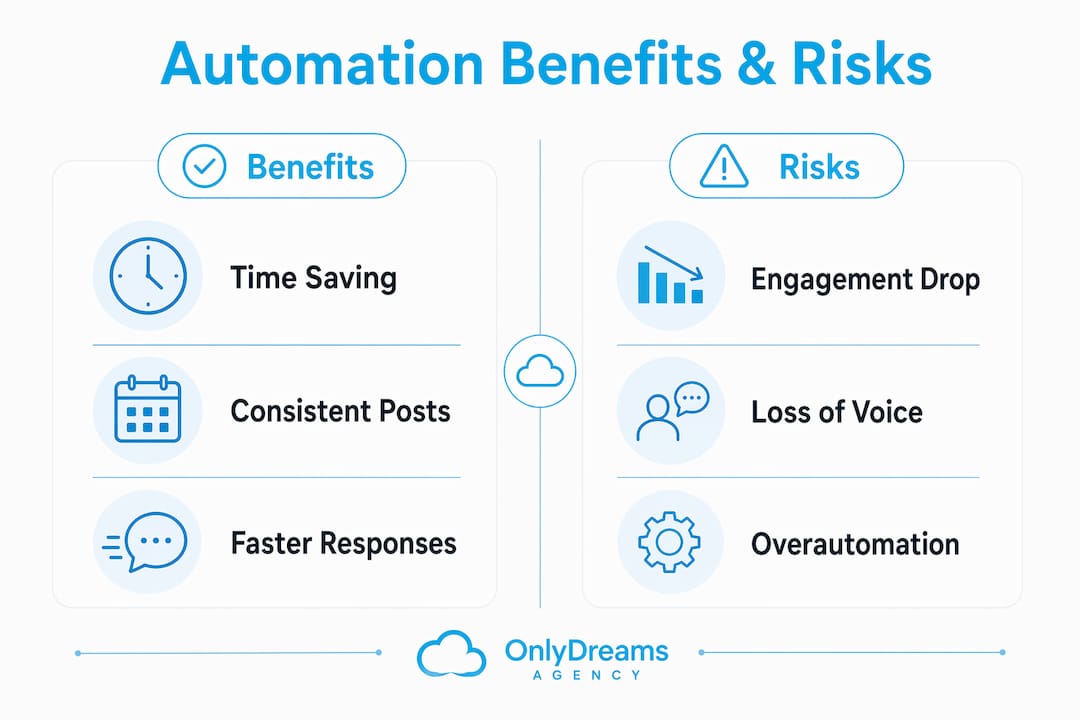
The benefits of social media automation are concrete and measurable. Teams reclaim 5–10 hours per week per person through automation, with advanced AI implementations reporting savings of over 100 hours monthly. That is not a marginal gain. It is the difference between a creator who burns out by month three and one who sustains a consistent presence for years.
Key benefits include:
The risks are real too. Automation without oversight produces off-brand posts, tone-deaf replies during crises, and potential platform policy violations. Fake engagement tactics, like auto-commenting or buying followers, violate the terms of service of every major platform and damage long-term reach.
“Automation must include strict approval controls, especially in regulated markets. Without them, fragmented responsibility leads to costly errors.” — Sprinklr and Hootsuite experts
Role-based approval workflows are the most underrated feature in any automation platform. They prevent a scheduled post from going live during a PR crisis and keep junior team members from publishing without review.
Starting with automation does not mean automating everything at once. Experts recommend starting small with scheduling before expanding to complex AI workflows. Here is a practical sequence:
The creators who get the most from automation are the ones who treat it as a system to maintain, not a set-and-forget solution. Monitoring your social media marketing workflow regularly keeps the system sharp and your audience engaged.
Pro Tip: Set a monthly “automation audit” reminder. Review which scheduled posts performed best, update your chatbot scripts, and retire any workflows that are no longer relevant. Stale automation is worse than no automation.
Social media automation saves creators and managers significant time by handling repetitive tasks, but it requires human oversight, approval workflows, and regular performance reviews to stay effective.
| Point | Details |
|---|---|
| Automation vs. scheduling | True automation uses triggers and AI, not just timed posts. |
| Time savings are real | Teams save 5–10 hours per week per person with consistent automation. |
| Human oversight is non-negotiable | Approval workflows prevent off-brand posts and platform policy violations. |
| Start small, then scale | Begin with scheduling, then add chatbots, AI tools, and trigger-based workflows. |
| AI tools extend reach | AI platforms can generate and optimize over 500 posts monthly at a fraction of agency costs. |
I have worked with enough creators to know the most common mistake: treating automation as a shortcut to going hands-off. The creators who do that end up with a feed that looks active but feels hollow. Followers notice. Engagement drops. And then they blame the algorithm.
The real value of automation is what it gives back to you. When you are not manually posting at 6 a.m. or copy-pasting the same FAQ answer for the hundredth time, you have actual mental space to think about your content, your audience, and what you want to say next. That is where the marketing automation advantage actually lives.
The creators I have seen scale most effectively use automation to protect their creative energy, not replace it. They automate the distribution. They show up personally for the conversations that matter. That balance is not complicated, but it does require intention. Set your workflows up thoughtfully, review them regularly, and never let a chatbot handle a moment that deserves a real response.
— Gjon
Only-dreams works with established content creators who want the benefits of social media automation without building the systems themselves.
The Only-dreams team manages scheduling, multi-platform distribution, and AI-enhanced marketing across Instagram, TikTok, and other platforms so creators can stay focused on content. The agency’s trained chat teams handle fan engagement with the kind of personal attention that automation alone cannot replicate. If you are ready to scale your reach without adding hours to your workload, the Only-dreams creator management approach gives you a professional team and proven workflows from day one.
Social media automation is the use of software to handle repetitive tasks like scheduling posts, responding to common questions, and generating reports without manual effort each time.
Scheduling sets posts to publish at a specific time. True automation uses triggers, such as RSS feeds or API commands, to publish content automatically based on rules or external events.
The main benefits are time savings of 5–10 hours per week per person, consistent posting, faster audience response times, and reduced burnout for creators and managers.
Buffer and Edgar suit individual creators who need straightforward scheduling. Hootsuite, Sprinklr, and Apaya are better for teams or creators who want AI content generation and approval workflows.
Automation without human oversight can produce off-brand posts or tone-deaf replies, which damage engagement. Approval workflows and regular performance reviews prevent most of these problems.