
TL;DR:
- Effective creator workload management relies on systems like batching tasks, auditing work, and using a streamlined workflow to reduce burnout. Automating high-frequency, low-risk tasks with AI enhances productivity without sacrificing creative control. Building a content system that prioritizes high-value work helps creators scale efficiently and maintain their creativity.
Creator workload management is the process of systematically organizing, prioritizing, and optimizing every task involved in content creation to maximize productivity and revenue. Without a structured system, even the most motivated creator burns out fast. Explaining creator workload management means going beyond simple to-do lists. It means building a repeatable operating system that covers ideation, production, publishing, engagement, and analytics. This guide breaks down the core frameworks, AI-enabled workflows, and batching strategies that help solo creators and small teams produce more, earn more, and work fewer hours.
Creator workload management is the industry term for what most creators call “staying on top of everything.” The formal discipline draws from project management and applies it to the unique, multi-role demands of content creation. You are not just a creator. You are also a marketer, editor, community manager, and analyst, often all in the same afternoon.
The typical creator workload breaks into seven core task categories:
Each category carries its own time cost and mental load. The problem most creators face is not the volume of tasks. It is the constant switching between them. Context switching, where you jump from editing to replying to DMs to writing a caption, destroys focus and wastes time. Fragmented tools make this worse. When your scheduler, editor, and inbox all live in separate apps, you spend more time managing tools than creating content.
Batching solves this. Batching means grouping similar tasks together into dedicated time blocks. You film all your content for the week in one session, edit in another, and handle engagement in a third. This approach protects your creative energy and reduces the mental overhead of constantly restarting.
Pro Tip: Build a content backlog of at least 10 ideas before you start any production week. A full backlog eliminates the blank-page problem and keeps your filming sessions moving fast.
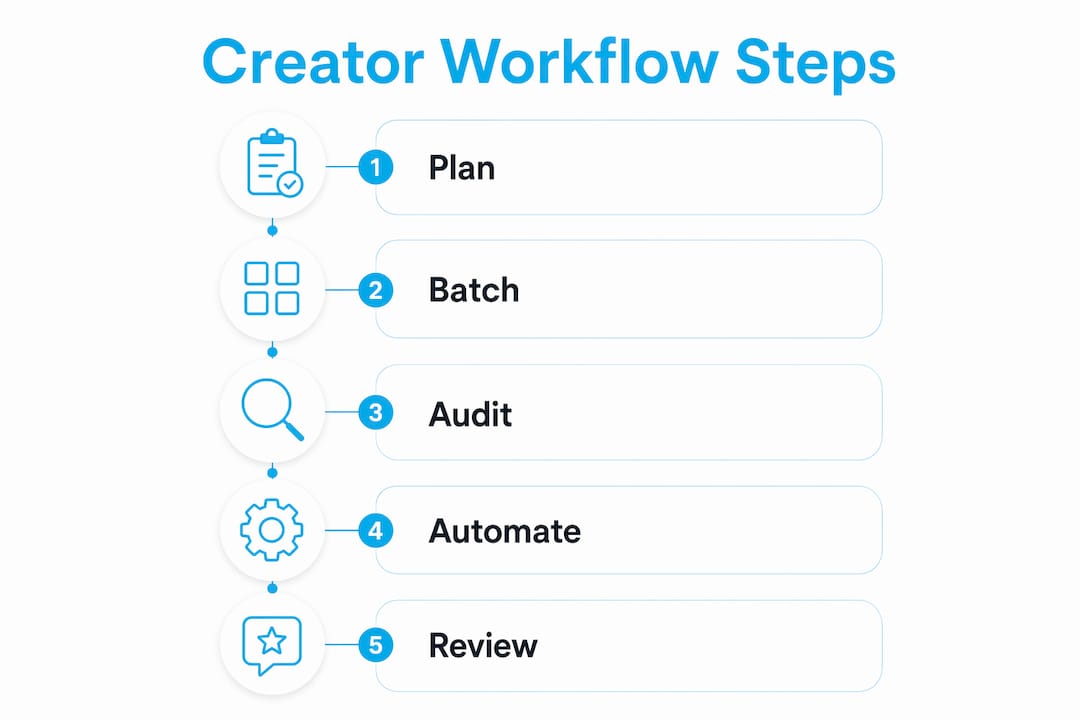
AI does not replace your creative judgment. It multiplies your speed on repeatable, low-risk tasks while you preserve human control where trust and nuance matter. The key is knowing which tasks belong in which category.

The task audit framework sorts every creator task into three groups: automatable, augmentable, and amplifiable. Automatable tasks are high-frequency and low-risk, such as caption formatting, hashtag research, and scheduling. Augmentable tasks benefit from AI assistance but still need your voice, such as drafting outlines or generating thumbnail concepts. Amplifiable tasks require full human judgment, such as fan relationship building, brand negotiation, and creative direction.
| Task | AI Role | Human Involvement |
|---|---|---|
| Caption formatting | Generator | Low: review only |
| Hashtag research | Organizer | Low: approve list |
| Script drafting | Assistant | High: rewrite in your voice |
| Thumbnail concepts | Critic | Medium: select and refine |
| Fan DM responses | Assistant | High: personalize every reply |
| Brand deal negotiation | None | Full: human only |
| Analytics interpretation | Organizer | High: apply judgment |
A useful rule for deciding whether to bring AI into a task: ask two questions. How often do you do this task? And what happens if the output is wrong? High-frequency, low-risk tasks are safe to automate. Low-frequency, high-risk tasks stay human. Task auditing separates creator work into automatable, augmentable, and amplifiable categories based on exactly this logic.
The data backs this up. 71% of marketers find AI helps create more content, but only 26.5% report higher productivity without structured workflows. AI without a system creates noise, not results.
Pro Tip: Run every new AI tool through the two-question test before adding it to your workflow. If you cannot answer both questions clearly, the tool is not ready for your stack.
Batching is the single highest-leverage change most creators can make. Batching creative tasks, such as filming multiple videos in one session, cuts setup overhead that can otherwise consume up to 70% of your available energy. One well-planned filming block can yield three to five finished content pieces.
A practical weekly rhythm for solo creators looks like this:
This five-day rhythm keeps each type of work in its own mental lane. You never have to switch from creative mode to analytical mode mid-session. Sequencing all workflows in one structured weekly pattern compounds efficiency across every task.
A content library makes this system sustainable during low-energy weeks. When you batch, you will occasionally produce more than you need for that week. Bank the extra pieces. A library of three to five ready-to-publish pieces means a sick day or a slow week never breaks your publishing schedule. The Productivity Pyramid framework recommends allocating 60–70% of creator time to content production, 20–30% to engagement, and 10% to experiments. Creators who follow this ratio report cutting working hours in half while doubling output.
The architecture of your workflow matters as much as the tasks inside it. The most effective model for solo creators is the hub-and-spoke system. You create one primary piece of long-form content, the hub, and then generate all shorter derivative pieces from it. A single podcast episode becomes a YouTube video, three short clips, five social posts, and one email newsletter. The hub-and-spoke model drastically reduces context switching and tool fragmentation by keeping all content rooted in one source.
The four-tool workflow is the practical version of this for solo creators. You need one tool each for writing, repurposing, scheduling, and email. Nothing more. Creators consolidating workflows into fewer than four core tools complete full content production in under three hours weekly, with tracked active time dropping to approximately 153 minutes.
| Workflow architecture | Best for | Key advantage | Main risk |
|---|---|---|---|
| Hub-and-spoke | Solo creators | Maximizes content from one source | Requires strong core content |
| Four-tool workflow | Solo and small teams | Keeps tool count low and focused | Needs discipline to avoid adding tools |
| Enterprise-style audit | Scaling teams | Identifies bottlenecks across all systems | Time-intensive to implement |
The tool collector trap is real. Every new app you add creates a new place to check, a new login to manage, and a new source of friction. Fragmented workflows cause missed deadlines and burnout among creators. A systems audit helps you visualize your full workflow and cut what does not serve it. For creators looking to scale their reach alongside their systems, content scaling strategies built on efficient workflows produce the most durable growth.
A workload audit is a structured review of every task you do, scored by how often you do it, how complex it is, and how much value it produces. The goal is to stop doing low-value work and put more energy into high-value work.
Start your audit with these steps:
The four-part sorting method helps creators focus energy on high-value tasks and offload or remove lower-impact work. The most common audit mistake is trying to fix everything at once. Pick the one task that wastes the most time and fix that first. Once that change is stable, move to the next. Meetings, reporting, and community engagement all count as quantifiable labor and must be budgeted into your workload realistically, not treated as extras. For a deeper look at how automation reduces creator load, the principles from auditing apply directly to deciding what to hand off first.
Effective creator workload management requires systems, not just effort. Batching, task auditing, and the right workflow architecture are the three levers that separate creators who scale from those who burn out.
| Point | Details |
|---|---|
| Define your task categories | Map all seven creator task types to understand where your time actually goes. |
| Use the two-question AI rule | Automate only high-frequency, low-risk tasks; keep human judgment for high-stakes work. |
| Batch by task type, not by day | Group similar tasks into dedicated blocks to protect creative energy and cut setup time. |
| Build a hub-and-spoke workflow | Create one strong core piece and derive all other content from it to reduce tool switching. |
| Audit before you overhaul | Score tasks by frequency, complexity, and value before making any system changes. |
Creator burnout is not a motivation problem. It is a decision fatigue problem. I have watched talented creators grind themselves into the ground not because they lacked passion, but because they made hundreds of small decisions every single day with no defaults in place.
The creators I see sustain output over years are not the most motivated ones. They are the ones who have pre-decided almost everything. What they post, when they post it, which tools they use, how they handle fan messages. Every default you set is a decision you never have to make again. That is energy you keep.
Most creators treat their workflow as something to figure out later, after they grow. That is backwards. The workflow is what enables the growth. A creator with a clear system and moderate motivation will always outperform a creator with high motivation and no system. The system is the multiplier.
My honest advice: treat your content operation like a professional business, not a creative hobby with admin attached. That means budgeting time for engagement and reporting the same way you budget time for filming. It means auditing your tools every quarter and cutting anything that does not earn its place. And it means accepting that the most creative work you can do is design the system that protects your creativity.
— Gjon
Running a creator business alone is hard. At some point, the operational side, fan engagement, chat management, content scheduling, and analytics, starts eating the time you need for actual creation.
Only-dreams is a US-based creator management agency that handles the operational side of your business so you can stay focused on creating. From dedicated account managers to trained chat teams that build real fan relationships, Only-dreams takes the high-frequency, time-intensive tasks off your plate. The agency also offers AI-enhanced marketing as an add-on, applying the same automation principles covered in this guide to your Instagram, TikTok, and cross-platform growth. If you are ready to scale your earnings without scaling your hours, explore how creator management works with Only-dreams, or visit only-dreams.com to see the full range of services.
Creator workload management is the systematic organization and prioritization of all tasks involved in content creation, from ideation and filming to publishing and analytics. The goal is to maximize output and revenue while preventing burnout.
Batching groups similar tasks into single focused sessions, which eliminates the energy loss from repeated setup and context switching. One filming session can produce three to five pieces of content, cutting total weekly production time significantly.
High-frequency, low-risk tasks such as caption formatting, hashtag research, and post scheduling are the best candidates for automation. Tasks that require your personal voice, fan relationships, or brand judgment should stay human-controlled.
List every task you do in a typical week, score each by frequency, complexity, and revenue impact, then sort them into four buckets: delete, delegate, automate, or elevate. Fix the biggest time drain first before making any other changes.
Solo creators who consolidate to fewer than four core tools, covering writing, repurposing, scheduling, and email, complete full content production in under three hours weekly. Adding more tools typically creates friction rather than efficiency.